ABB | Terra DC / DC Wallbox - Configuration for ChargePilot

Modified on Mon, 13 Apr at 5:04 AM

Before starting the configuration, please check the charger firmware version complies with the latest compatible firmware version.


Connection to the charger

Local connection

Connect to the ABB EV charger portal

  1. The charger must be added to our Organization “The Mobility House GmbH“ in the Portal by ABB with the SN (e.g T124-IT1-0222-027). Mail to service.evci@de.abb.com

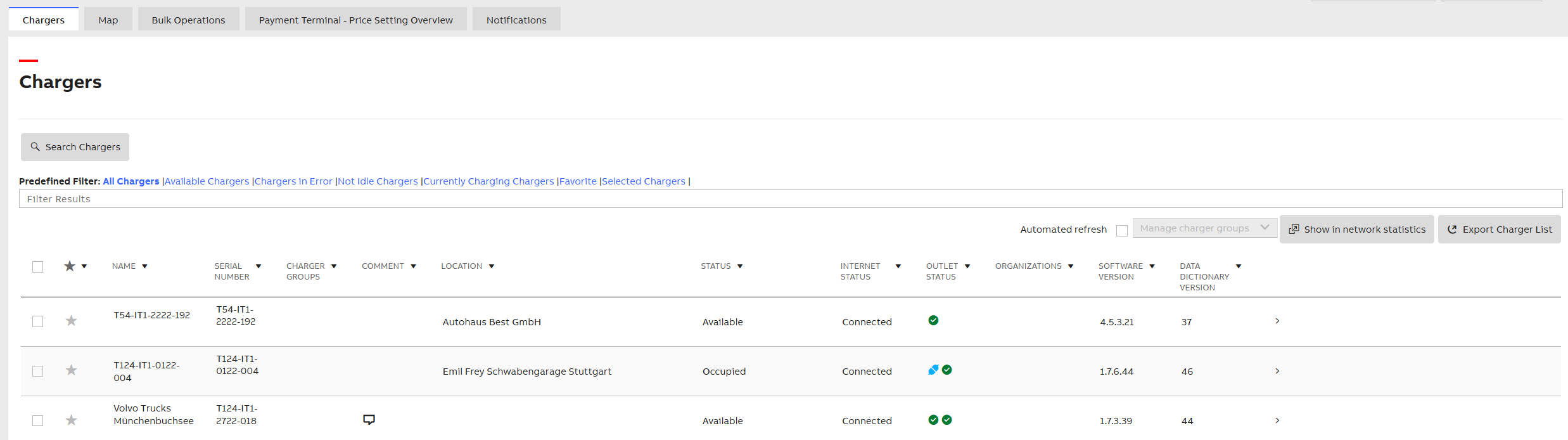
  2. At the homepage, search for your charger and click on it

OCPP settings

Backend

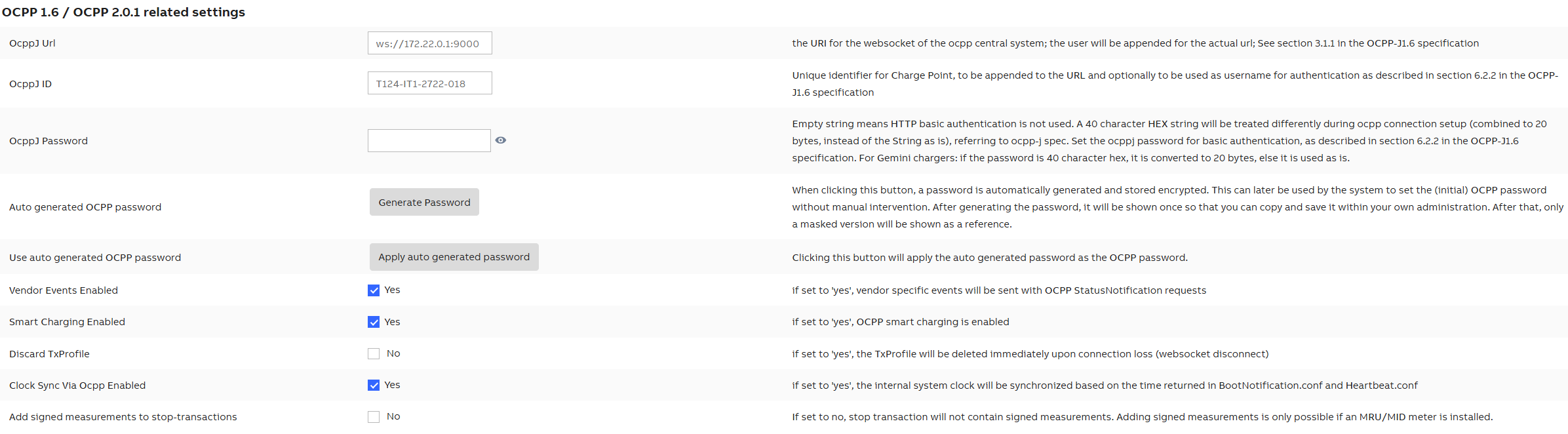
Navigate to the Charger Settings → OCPP/Connectivity tab

  • Configure the Parameters as follows:

    • OCPP Mode: OCPP-J 1.6

    • OCPP Backend URL: ws://172.22.0.1:9000

ChargeBox ID

  • Serial number of the charger by default or according to the installation protocol


Other charger settings

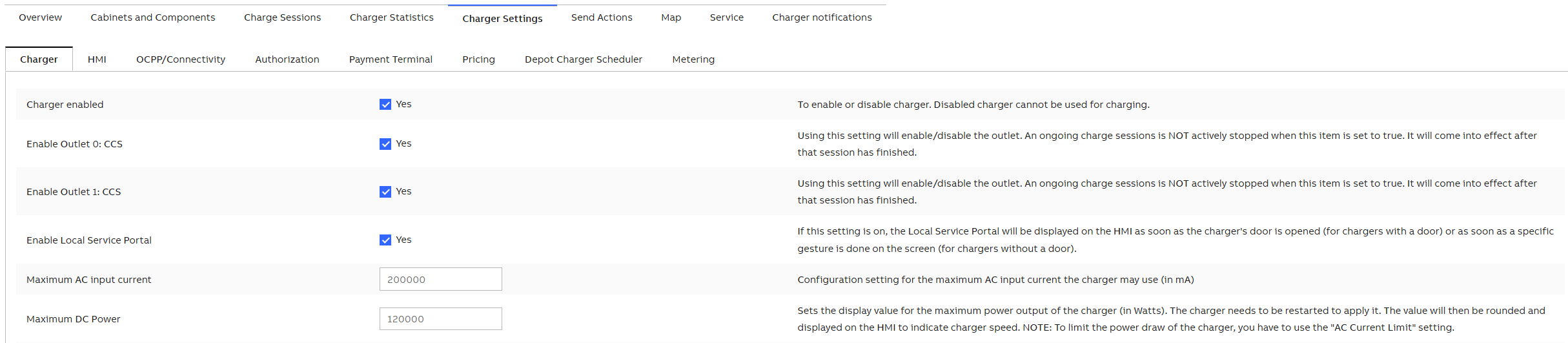
Navigate to the Charger Settings → Charger tab

  • Configure the Parameters as follows:

    • Charger enabled: Yes

    • Enable Outlet 0: CCS: Yes

    • Enable Outlet 1: CCS: Yes

  • Save the settings

Authorization settings

Navigate to the Charger Settings → Authorization tab

  • Configure the Parameters as follows:

    • Authorization enabled: Yes

    • Authorize for stop: Yes

    • OCPP remote start-stop enabled: Yes

    • Local white list cache enabled: Yes

    • Rfid enabled: Yes

  • Save the settings


Autocharge/Free charging settings

When this function is activated, charger starts transaction either with the predefined identifier (PLUGANDCHARGE) in the charger, or with the EV MAC address.


Navigate to the Charger Settings → Authorization tab

  • Configure the Parameters as follows:

    • Auto Charge Enabled: Yes

  • The EV MAC address must be stored in the backend correspondingly

  • Save the settings

Fallback settings

Navigate to the Charger Settings → OCPP/Connectivity tab

  • Configure the Parameters as follows:0

    • Fallback mode: Free charging

    • Fallback delay: 120

    • Discard TxProfile: Yes

  • Save the settings


Offline behavior settings

Navigate to the Charger Settings → Authorization tab

  • Configure the Parameters as follows:

    • Local white list cache enabled: Yes

  • Save the settings

Was this article helpful?

That’s Great!

Thank you for your feedback

Sorry! We couldn't be helpful

Thank you for your feedback

Let us know how can we improve this article!

Select at least one of the reasons

Feedback sent

We appreciate your effort and will try to fix the article